---
title: Easy Financial Reporting | Wrepit
description: "Revolutionize financial report creation with Wrepit: No designers needed, just effortless, engaging financial reports. Book a demo to save time and money!"
---
[](https://wrepit.net?hsLang=en)
- [Case Studies](https://wrepit.net/case-studies?hsLang=en)
- Resources
### [Blog The latest industry news, updates and info](https://wrepit.net/blog?hsLang=en)
### [Security The most frequently asked questions about security and privacy](https://wrepit.net/faq/security?hsLang=en)
### [Contact](https://wrepit.net/book-a-demo?hsLang=en)
### [Features Learn about our key features](https://wrepit.net/features?hsLang=en)
### [Who are we?](https://wrepit.net/about-us?hsLang=en)
- [Contact](https://wrepit.net/contact?hsLang=en)
[Sign in](https://portal.wrepit.net) [Get a free demo](https://wrepit.net/book-a-demo?hsLang=en)
# Easy Financial Reporting
Wrepit makes Annual and Quarterly reporting a snap!
- Auto Design
to save days, if not weeks, of work.
- Sync Numbers
all the way from Excel to final report
- Secure Process
compliant for all your regulatory needs
[Request a demo](https://wrepit.net/book-a-demo?hsLang=en)
- 
- 
- 
- 
- 
- 
- 
- 
- 
- 
- 
- 
- 
- 
BIG PICTURE
## **Find out how Wrepit works in under a minute**
Discover how quick, easy and powerful Wrepit is to use. This simple workflow results in an engaging online financial report and a well designed PDF.
[Schedule your demo](https://wrepit.net/book-a-demo?hsLang=en)
TESTIMONIALS
## What our customers say
- ### 
### “KLP has saved both time and money, cutting more than 70% of time spent producing reports.”
Dag E. Clausen Senior Designer
[READ CASE STUDY](https://wrepit.net/casestudy/klp?hsLang=en)
- ### 
### “Wrepit annual reports are more engaging to read and easier to navigate than a PDF.”
Christoffer Gundersen Senior Associate
[READ CASE STUDY](https://wrepit.net/casestudy/argentum?hsLang=en)
- ### 
### “Wrepit has increased our productivity, because we can do adjustments without any 3rd parties.”
Tonje Kvamme Dahl Financial Controller
[READ CASE STUDY](https://wrepit.net/casestudy/sb1-rh?hsLang=en)
- ###  “Wrepit's Excel2Word add-in seamlessly integrated over 100 tables from Excel to Word, ensuring data accuracy and simplifying updates”
SELVAAG BOLIG
[READ CASE STUDY](https://wrepit.net/casestudy/selvaag-bolig?hsLang=en)
## **Easy workflow with Excel2Word**
Enhance all future financial reports with Excel2Word, effortlessly linking Excel tables and cells to Word documents. You will save a lot of **time** and **effort**, we guarantee it.
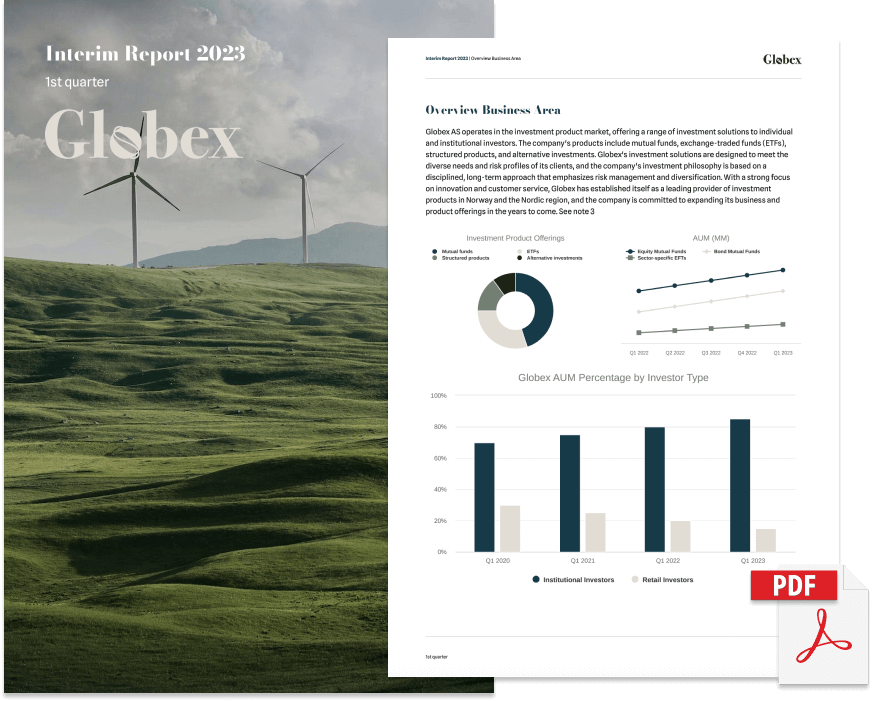
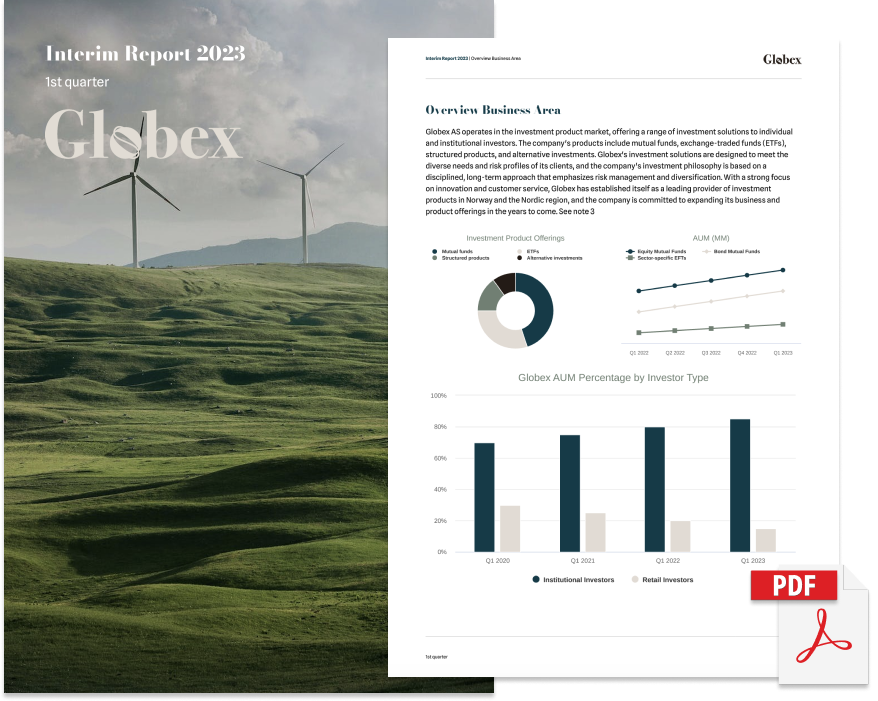
## **Export to PDF**
Transform your web reports into PDFs effortlessly, with the click of a button. Unlock the power of easy conversion!
## **Smart auto-linking for financial notes**
Intuitively connect note references directly to relevant sections in your financial reports.
## **Easily present numbers with style and precision**
Utilise user-friendly KPI elements to accentuate and animate key numbers, making your report highly engaging.
BLOG ARTICLE
## **Transform Reports with Grid-Layout**
- Transform your reports with dynamic, visually appealing structures.
- Tailor your reports with customization options
- Incorporate images seamlessly for visually appealing galleries or personal showcases.
- Customizable templates to inspire your report design, available for download.
[READ THE BLOG](https://wrepit.net/blog/introducing-the-grid-layout?hsLang=en)
.png)
## **Curious?**
Even if you are not completely convinced, contact us for a 20-minute informal demo.
20 minutes that in the long run could save you hundreds of hours and thousands in budget.
Book a demo and we will customise it to be relevant and valuable for you. You won't regret it.
[Try a free demo](https://wrepit.net/book-a-demo?hsLang=en) [Or have an exploratory chat](mailto:sales@wrepit.no)
[](https://wrepit.net?hsLang=en)
Universitetsgata 2
0164 Oslo, Norway
- [Case Studies](https://wrepit.net/case-studies?hsLang=en)
- [Who are we?](https://wrepit.net/about-us?hsLang=en)
- [Blog](https://wrepit.net/blog?hsLang=en)
- [Changelog](https://portal.wrepit.net/changelog)
- [Portal FAQ](https://wrepit.net/faq/portal?hsLang=en)
- [Security FAQ](https://wrepit.net/faq/security?hsLang=en)
- [Contact](https://wrepit.net/contact?hsLang=en)
© 2026 Wrepit AS (NO 821 430 232 MVA)
[Privacy Policy](https://wrepit.net/privacy?hsLang=en) [Terms of Service](https://wrepit.net/terms?hsLang=en)
```json
{
"@context" : "https://schema.org",
"@type" : "VideoObject",
"contentUrl" : "https://25673672.fs1.hubspotusercontent-eu1.net/hubfs/25673672/E2w2.mp4",
"dateModified" : "2023-11-13T16:39:04.303Z",
"duration" : "PT20S",
"height" : 1924,
"name" : "E2w2",
"thumbnailUrl" : "https://25673672.fs1.hubspotusercontent-eu1.net/hubfs/25673672/E2w2.mp4/medium.jpg",
"uploadDate" : "2023-11-13T16:38:50.241Z",
"width" : 2942
}
```
```json
{
"@context" : "https://schema.org",
"@type" : "VideoObject",
"contentUrl" : "https://25673672.fs1.hubspotusercontent-eu1.net/hubfs/25673672/Sequence%2003_1.mp4",
"dateModified" : "2023-11-13T13:01:08.150Z",
"description" : "Visual of a table with a reference to a note. Clicking the link automatically sends you to the note in reference, with a handy back button that takes you back to where you were.",
"duration" : "PT14.827S",
"height" : 1242,
"name" : "Linked note references",
"thumbnailUrl" : "https://25673672.fs1.hubspotusercontent-eu1.net/hubfs/25673672/Sequence%2003_1.mp4/medium.jpg",
"uploadDate" : "2023-11-13T12:05:32.080Z",
"width" : 1400
}
```
```json
{
"@context" : "https://schema.org",
"@type" : "VideoObject",
"contentUrl" : "https://25673672.fs1.hubspotusercontent-eu1.net/hubfs/25673672/KPIFinal.mp4",
"dateModified" : "2023-11-14T12:49:41.798Z",
"description" : "Animation showing insertion of a KPI in Word, editing and then the live version on Web",
"duration" : "PT16.283S",
"height" : 1080,
"name" : "KPI from Highlights Add-in in MS Word to animated in Wrepit.",
"thumbnailUrl" : "https://25673672.fs1.hubspotusercontent-eu1.net/hubfs/25673672/KPIFinal.mp4/medium.jpg",
"uploadDate" : "2023-11-14T12:21:49.984Z",
"width" : 1500
}
```